


 }
}
PICO60P
1 x 60W Power Amplifier
Small Form Factor
Small Form Factor
The Australian Monitor PICO60P is compact, half-rack power amplifier delivering 60W into 100V or 4ohm speakers systems.
The front panel featues a volume/mute control, level meter and bass/treble controls.
The rear panel has balanced and unbalanced audio inputs, speaker outputs and a VCA input for use with the optional VC-LIN wall panel for remote volume control.
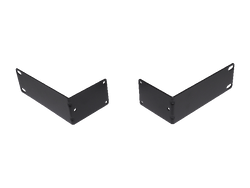
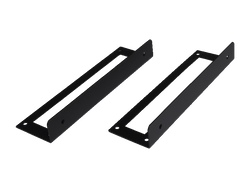
With options for standalone, rack, or under-desk mounting using optional kits, the PICO60P offers a versatile power amplifier for any installation.
-
• 1 x 60W amplifier
• 100V or 4Ω output
• Bass / Treble Control
• Front panel volume control (defeatable via rear panel switch)
• Optional VC-LIN wall panel volume control
• Class D topology
• Rack or desk mounting kits options. PICO-RMK and PICO-DMK.
FRONT PANEL CONTROL
 The front panel volume control allows adjusting the amplifier output level or to mute the system.
A rear panel switch can optionally lock the control to prevent changes from the front panel.
Press and hold the volume control to enter configuration mode, where the bass and treble levels can be adjusted.REMOTE VOLUME CONTROL
The PICO60P can be paired with a VC-LIN wall panel volume control using the rear volume control attenuator (VCA) input.
The VCA input can also be shorted together to MUTE the power amplifier.
-
Output Power per Channel 60W Frequency Response 100Hz - 20kHz Output Channels 1 THD+N < 0.1% (-3dB) Output Mode 4 Ohm-100V Signal to Noise Ratio > 90dB Input Voltage 100-240Vac 50-60Hz Input Sensitivity Euroblock 1Vrms - RCA 200mVrms Mounting 1RU Cooling Convection Warranty 5 years Product Dimensions
(W x D x H)217mm x 265mm x 44mm Shipping Dimensions
(W x D x H)370mm x 320mm x 122mm Net Weight 2.2 Kg Shipping Weight 3.1 Kg GTIN EAN 9323383022867 -
Check that it has not been disabled via the rear panel switchHold down the volume knob for 10 seconds. Consult the manual for more information.Check the front panel volume is turned up and that the VCA is not turned down or shorted.



Recently Viewed Items
- choosing a selection results in a full page refresh